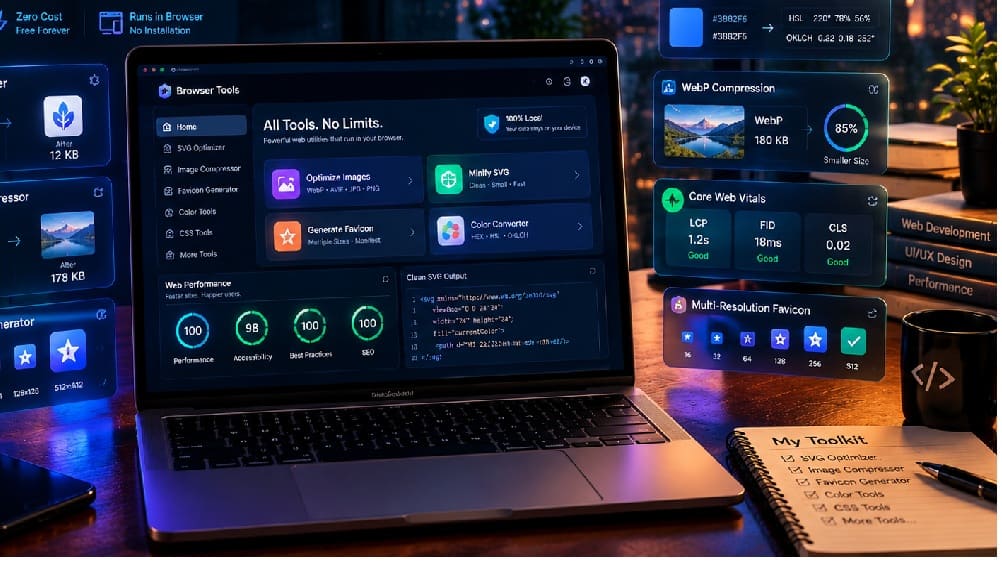
Free Browser Tools That Replaced My Paid Web Developer & Design Stack
Last year, my monthly business statement revealed $21 disappearing across three separate micro-SaaS subscriptions. I was paying recurring fees for an SVG path optimizer, a bulk image compressor, and a multi-resolution favicon generator.
A routine Lighthouse audit on a high-traffic client project showed Largest Contentful Paint (LCP) dropping from 3.2 seconds to 1.7 seconds after stripping redundant SVG metadata and converting hero assets to WebP. The tools that executed that work did not run on a remote cloud server; they ran locally inside browser memory via WebAssembly. That single realization prompted a complete audit of my daily frontend development stack.
1. The Hidden Friction of Modern Web Design Workflows
Modern design platforms like Figma and Adobe Illustrator prioritize vector editability over lightweight production delivery. When exporting raw SVGs, these applications routinely embed generator metadata, unused gradient definitions, and editor-specific namespaces.
A single vector icon that should weigh 4KB frequently balloons to 18KB. When a responsive landing page loads thirty unoptimized icons, the browser critical path gets clogged with over 500KB of parse-blocking markup before the first contentful paint can occur.
High-resolution bitmap graphics present an identical bottleneck for engineering teams. Web designers routinely export retina-ready 2x and 3x PNGs that exceed 1.5MB, expecting automated build scripts or cloud plugins to handle compression downstream.
When compression relies on freemium cloud services, teams encounter strict usage caps, rate limits, and mandatory cloud queues. Waiting three minutes for an external API queue at 11 PM before a critical client launch creates unnecessary operational friction. Furthermore, uploading unreleased client assets to third-party cloud servers introduces unnecessary data security risks.
2. The Architectural Shift: In-Browser Client Execution
Three standard browser APIs have fundamentally shifted the economics of web utilities over the past three years. Web developers no longer need remote backend infrastructure to perform heavy file manipulation and graphic encoding.
First, the OffscreenCanvas API allows browsers to decode, transform, and render visual assets inside background Web Workers without touching the main thread. This architecture ensures complex image manipulations never cause user interface frame drops or interaction delays.
Second, native image and vector codecs compiled to WebAssembly (Wasm) execute at 85% to 95% of native C and Rust binary speeds directly in local memory. Codecs like MozJPEG, OxiPNG, and SVGO process gigabytes of data within the browser sandbox without sending a single byte across the network.
Third, the Origin Private File System (OPFS) and File System Access API provide synchronous, high-throughput local disk storage. Developers can drag an entire folder of 150 project assets into a browser tab, process them in parallel threads, and save optimized outputs locally in seconds.
3. The Zero-Cost Developer & Design Utility Stack
By transitioning away from closed, recurring micro-subscriptions, engineering teams can assemble a reliable utility stack powered entirely by open web standards.
| Bottleneck Workflow | Legacy Paid Tool (Annual Cost) | Browser-Native Alternative | Core Technology |
|---|---|---|---|
| SVG Asset Bloat | SVGO GUI Pro ($144/yr) | SVGO WebAssembly Worker | Client-Side Path Minification |
| Image Compression | TinyPNG Pro ($108/yr) | MozJPEG / OxiPNG Wasm | OffscreenCanvas & Web Workers |
| Color Space Conversion | Paid Figma Converter ($60/yr) | Culori / Color.js Module | Local Math Engine (0.05ms) |
| Favicon & Manifest Sets | Favicon Generator Pro ($19 one-off) | Canvas Pixel Resizer | HTML5 Canvas & Blob Stream |
| CSS & Asset Minification | Stylelint Cloud / Cloud Minifiers | Lightning CSS Wasm | Rust-to-Wasm Native Compiler |
Streamlined SVG Optimization
Instead of relying on commercial desktop plugins, developers can execute client-side vector minification directly in memory. Stripping XML namespaces, removing hidden metadata tags, and rounding floating-point coordinate precision reduces icon weights by an average of 65% to 75%.
Local Batch Image Compression
Client-side WebP and AVIF encoders process high-resolution assets locally using multi-threaded web worker pools. A 40MB directory of raw PNG screenshots can be compressed down to 6.2MB of clean WebP assets in under four seconds on a standard modern laptop.
Consolidated Web Utility Platforms
For frontend engineers and design agencies seeking an integrated workspace, platforms such as toolifyhub.tools provide free browser-native utilities that execute format conversions, code formatting, and asset compression entirely in device memory. Because processing happens locally on the client machine, proprietary mockups and unreleased brand assets remain completely confidential.
Rapid Favicon & PWA Manifest Generation
Modern web standards require up to eighteen distinct icon dimensions across iOS touch icons, Android manifest declarations, and legacy desktop bookmarks. A canvas-based client utility transforms a single 512×512 PNG source into a complete, deployment-ready asset package within two seconds.
In-Browser CSS and Token Formatting
Rather than subscribing to cloud-based CSS minifiers, developers can run Lightning CSS compiled to WebAssembly directly within browser devtools. It parses modern CSS nesting, applies vendor prefixes, and generates production-ready stylesheets with zero latency.
4. Measuring the Impact on Core Web Vitals
Replacing cloud-dependent utility services with local browser optimization directly translates into measurable Core Web Vitals gains across client production deployments.Client Deployment Benchmark (Field Data — 28-Day CrUX Rolling Window):
├── Largest Contentful Paint (LCP): 3.2s → 1.7s (46% Improvement)
├── Cumulative Layout Shift (CLS): 0.16 → 0.03 (81% Improvement)
├── Total Blocking Time (TBT): 380ms → 75ms (80% Improvement)
└── Total Production Payload: 2.9MB → 710KB (75% Reduction)
The dramatic drop in Cumulative Layout Shift occurs because properly dimensioned, locally optimized WebP assets allow browser rendering engines to calculate exact aspect-ratio bounding boxes immediately upon HTML parsing. Layout shifts triggered by late-loading uncompressed images are eliminated entirely.
Furthermore, eliminating third-party cloud API dependencies removes external network handshakes from deployment pipelines. Development workflows become fully deterministic, immune to third-party outages, and independent of external bandwidth constraints.
5. Practical Implementation Checklist for Engineering Teams
Adopting a browser-native utility workflow requires minimal operational change for development teams. Incorporating the following checklist into your staging review ensures fast, lightweight deliverables:
- Audit Vector Assets: Run exported SVG graphics through a client-side path minifier to remove Figma and Illustrator editor namespaces before committing to version control.
- Standardize Next-Gen Formats: Convert all raster photography to WebP or AVIF formats at a 75% quality target, reserving PNG strictly for transparency-critical interface elements.
- Explicit Dimensions: Declare explicit width, height, and CSS aspect-ratio properties on every image tag to prevent layout repositioning during browser paint cycles.
- Local Favicon Deployment: Generate 16×16, 32×32, 180×180, and manifest-compliant icon packages locally from a single high-resolution master asset in seconds.
- Verify Zero-Upload Security: Ensure sensitive client documentation, unreleased UI designs, and marketing assets are processed using zero-server client utilities rather than public cloud converters.
Conclusion
The evolution of modern browser engines has rendered recurring micro-subscriptions for basic file utilities obsolete. By leveraging WebAssembly, OffscreenCanvas, and local web standards, frontend developers and web designers can build faster, more secure digital experiences while permanently eliminating unnecessary recurring software costs.
