A WordPress site rarely breaks all at once. It drifts. A plugin update here, a new image library there, a payment gateway change nobody tested properly, and six months later the site is technically still running but quietly costing you traffic, leads, or sales.
The good news: most of these problems give off warning signs well before they become an emergency, if you know what to look for.
Below are the five signs we see most often when a client says something feels “off” with their site. For each one, you’ll find what usually causes it and a quick way to check it yourself before deciding whether you need outside help.
Quick overview:
- Sign 1: Pages suddenly became slow
- Sign 2: Plugins are causing errors
- Sign 3: Your website isn’t being indexed
- Sign 4: Strange redirects are appearing
- Sign 5: Checkout isn’t working properly
None of these signs is a reason to panic, and none mean you chose the wrong platform. WordPress powers a substantial share of the web because it’s flexible enough to run a small local business site and a high-volume online store on the same software.
That same flexibility is why ongoing technical attention matters. A platform built to support thousands of plugins, themes, and hosting setups needs periodic maintenance to keep every moving part working together.
Sign 1: Pages Suddenly Became Slow
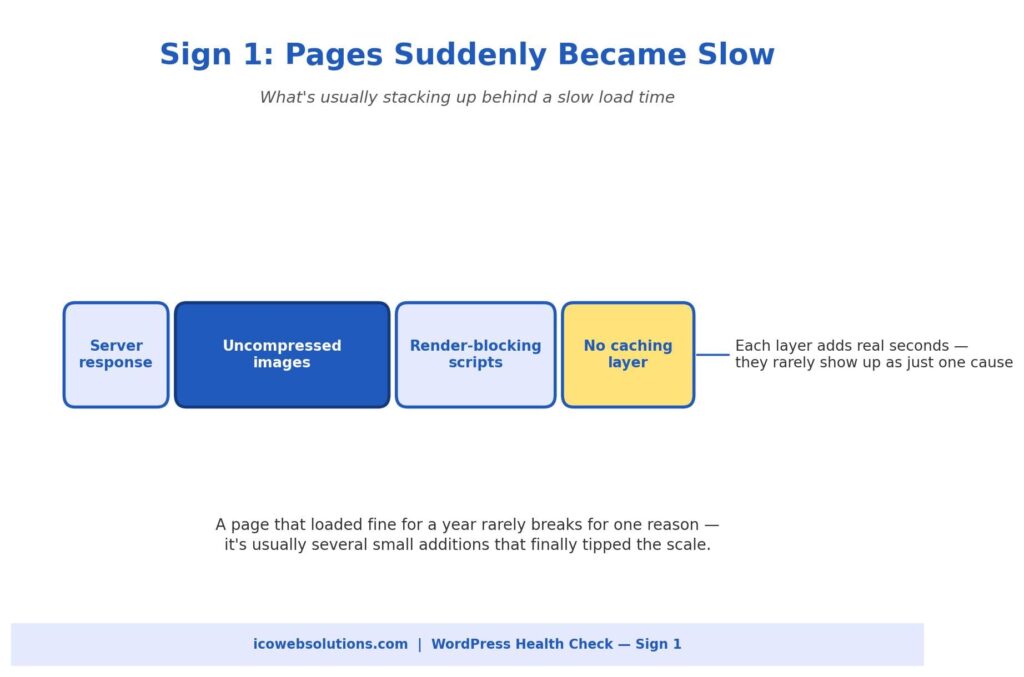
Site speed rarely collapses because of one dramatic failure. It’s almost always a slow build-up. A product page that loaded in under two seconds a year ago can creep past five or six seconds because of:
- Product images added without compression
- Plugins loading their own scripts on every page, needed or not
- A database weighed down by years of post revisions, spam comments, and old transaction logs
How to check it yourself
Run your homepage and one or two key inner pages through a free page speed testing tool. Look at what’s flagged as render-blocking or oversized rather than just the overall score.
A long list of unoptimized images, or a dozen scripts loading in the page header, is usually the real story, not a vague “server problem.” A general technical SEO check will also show whether slow load times are already affecting how search engines crawl and rank your pages, since speed has been a ranking factor for years.
DIY or get help?
Reasonable to tackle yourself (with moderate technical comfort): image compression, caching plugin setup, and deferring non-essential scripts.
Time to bring in help: your hosting plan is struggling under current traffic, or the database needs a careful, non-destructive cleanup. At that point, a website maintenance company in Delhi (or wherever your developer is based) is a safer choice than guessing your way through server changes on a live site.
Sign 2: Plugins Are Causing Errors
An occasional plugin notice is normal. These are not:
- A pattern of fatal errors
- A white screen after an update
- A plugin that works fine alone but breaks as soon as a second one is activated
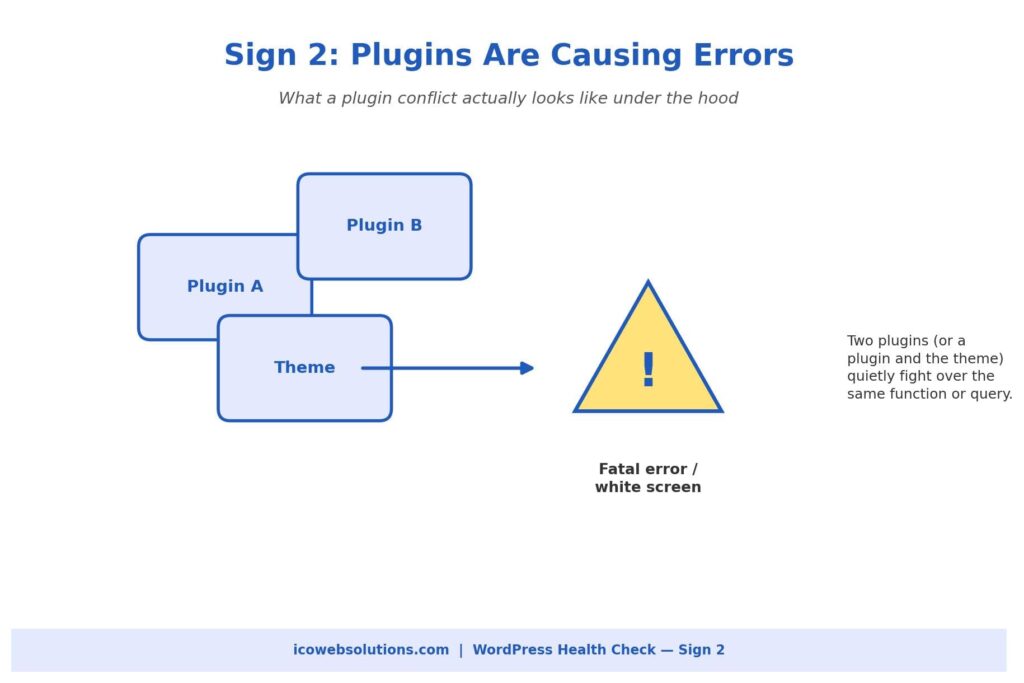
Problems like these get worse the longer they’re ignored. Most conflicts happen because two plugins, or a plugin and your theme, use the same function name, hook into the same part of WordPress, or query the database in ways the other wasn’t built to expect.
How to check it yourself
Work on a staging copy of your site, not the live version.
- Deactivate plugins one at a time.
- Reload the page after each one.
- Stop when the error disappears. That’s the plugin involved.
- Check whether it has a recent update, and whether other users report the same conflict in its support forum.
This usually confirms the cause within a few minutes.
Why you shouldn’t ignore it
We’d caution against leaving a known conflict in place because the site “still works most of the time.” Intermittent fatal errors are inconsistent, which means they may be quietly affecting some visitors and not others, including search engine crawlers trying to render your pages.
A quick, deliberate fix now is almost always cheaper than a site-wide breakdown during a busy sales period.
Sign 3: Your Website Isn’t Being Indexed
This one is easy to miss because the site looks completely normal to you and every other visitor. The problem only shows up in Google Search Console, where pages (sometimes an entire section) aren’t appearing in search results.
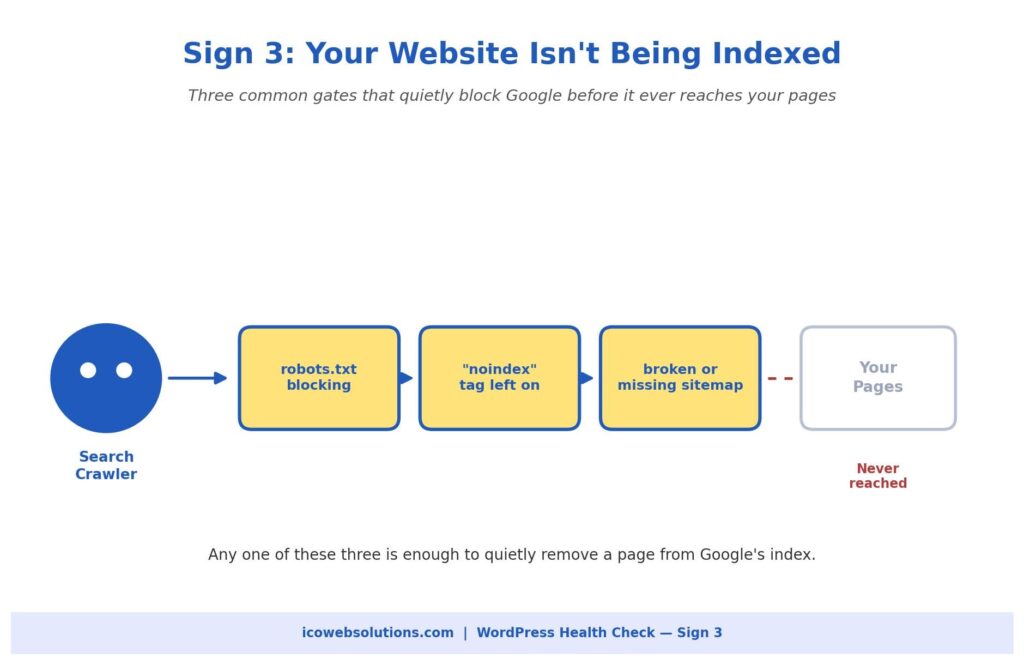
In our experience, it almost always comes down to one of three ordinary, fixable causes:
- A robots.txt file blocking crawler access to part of the site
- A “noindex” tag left on from development or staging
- A sitemap that has gone stale, broken, or stopped updating after a plugin change
How to check it yourself
- Open your robots.txt file directly in a browser.
- Search your pages for a stray noindex tag using a free SEO browser extension.
- Resubmit your sitemap in Search Console.
This usually surfaces the issue within minutes. The tricky part is that these settings can flip back on during a theme or plugin update, so a site that indexed fine for years can suddenly start disappearing from search without anyone touching anything on purpose.
When to get help
If this has been going on for more than a few weeks, have someone run a full technical SEO audit rather than fixing only the one setting you found. These issues tend to travel in small clusters.
Sign 4: Strange Redirects Are Appearing
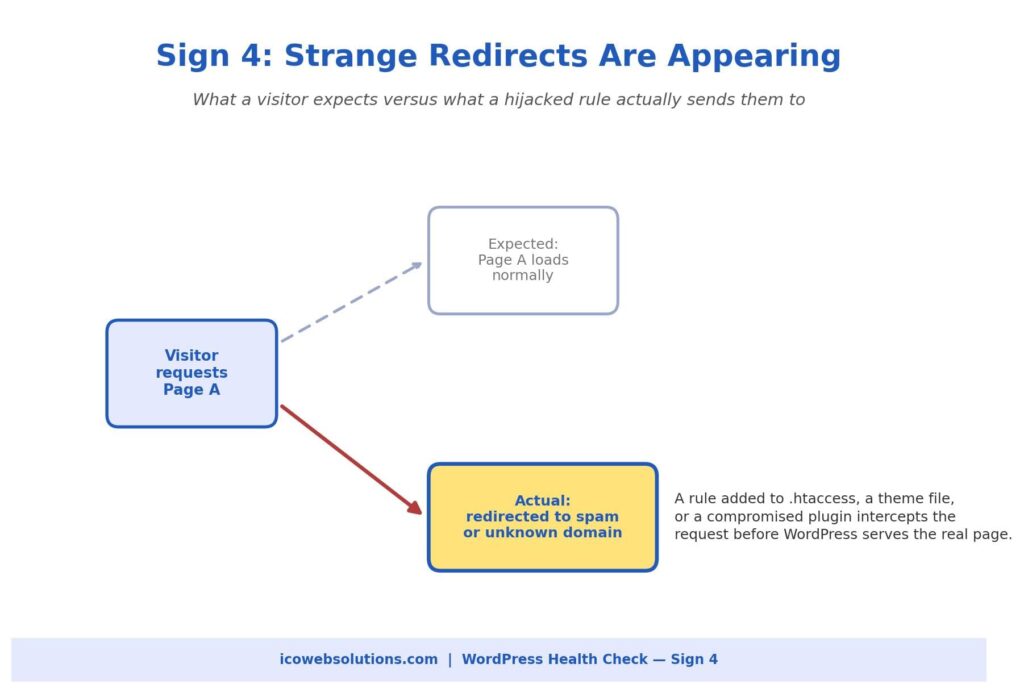
Unexpected redirects are one of the more alarming signs on this list, and for good reason. A visitor clicks a normal link on your site and lands on an unfamiliar domain pushing ads, fake software updates, or outright spam.
That’s rarely a simple misconfiguration. It usually points to a rule injected into your .htaccess file, your theme’s functions file, or a compromised plugin, typically as part of a broader security compromise.
What to do first
Speed matters more than thoroughness here. In this order:
- Change your WordPress admin and hosting passwords immediately.
- Check recently modified files in your hosting control panel for anything you don’t recognize.
- Run a reputable security scanner.
- Check Search Console for a Google security warning, since it affects whether new visitors can reach you safely.
When to get help
This is one of the signs where we recommend bringing in outside help sooner rather than later, even if you’re comfortable with WordPress. A redirect hijack usually means something got in, and finding every entry point it left behind, not just the one rule you noticed, takes a file-by-file review that’s easy to rush through on your own.
Sign 5: Checkout Isn’t Working Properly
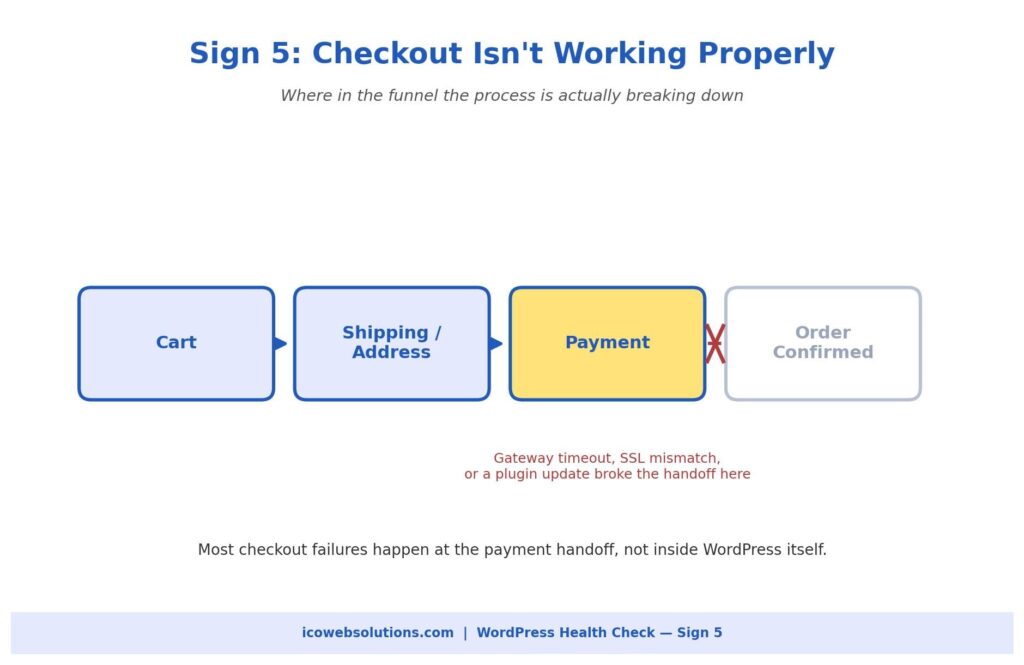
For any site running WooCommerce or a similar store, a broken checkout is the most expensive item on this list. Every hour it’s down, revenue walks away, often without you hearing about it unless a customer complains.
The most common pattern isn’t a complete failure but a partial one. The cart and shipping steps work, and the process breaks at the payment handoff, where your site communicates with an outside payment gateway.
Common causes
- An expired or misconfigured SSL certificate
- A payment gateway plugin that has fallen out of date with the gateway’s API requirements
- A recent WordPress or PHP update that the checkout plugin wasn’t fully compatible with
How to check it yourself
- Place a test purchase using the payment gateway’s official test card numbers.
- Check your SSL certificate’s expiration date.
- Review your error logs around the time customers started reporting problems.
Don’t wait on this one
Because it touches money and customer trust, “we’ll get to it this week” is too slow. A short period of downtime tends to cost more than the entire fix would have. Call in help the same day you notice something’s wrong.
What These Five Signs Usually Mean Together
These problems rarely show up in isolation:
- A site that’s slow from database bloat and too many plugins is also the most likely to start throwing plugin conflict errors.
- A site compromised enough to generate strange redirects often drops out of Google’s index around the same time, since search engines quickly deprioritize sites with security issues.
If you’re noticing two or three of these at once, that’s not a coincidence. It’s a sign the site has gone without real technical maintenance for a while.
None of this means panicking or rebuilding from scratch. It means:
- A proper audit
- A prioritized fix list based on actual risk and revenue impact
- A maintenance routine (regular updates, monitoring, and a real backup strategy) so problems get caught at the small, cheap stage
A 20-minute monthly checklist
Even if you manage everything yourself, set a recurring monthly check against this list:
- Run a page speed test on your two or three most important pages.
- Confirm plugins and themes are current, and that none have been abandoned by their developers. Unmaintained plugins are one of the most common entry points for the security issues behind strange redirects.
- Glance at Search Console for any sudden drop in indexed pages.
- If you run a store, place a real test order through your own checkout.
Together these take no more than twenty minutes, and catching a problem in a routine check is almost always cheaper and less stressful than learning about it from a customer or a search engine.
Need a Hand?
If you’re experiencing any of these five signs, or you’re not sure whether your site is overdue for a proper check, our team at ICO WebTech can diagnose and fix the issue.
We work as both a website design agency in Delhi building new sites and a WordPress website development company maintaining and troubleshooting existing ones. Whether the right fix is a quick technical repair or a more thorough rebuild, we’ll tell you honestly which one you need before any work begins.


Related items
Baymard Institute’s 2026 benchmark found that 52% of desktop sites and 62% of mobile sites

Depending on which 2026 survey you read, somewhere between 34% and 77% of US shoppers have

Websites were built around a human operating the interface. A visitor reads the page, comp
